
Contract repository
Find any supplier contract in seconds
The laundry contract signed three years ago, its amendment, its price list and the latest invoice: all in one place, and all findable by search.
- Full-text search
- Filters by site and category
- Attachments linked
- Role-based access
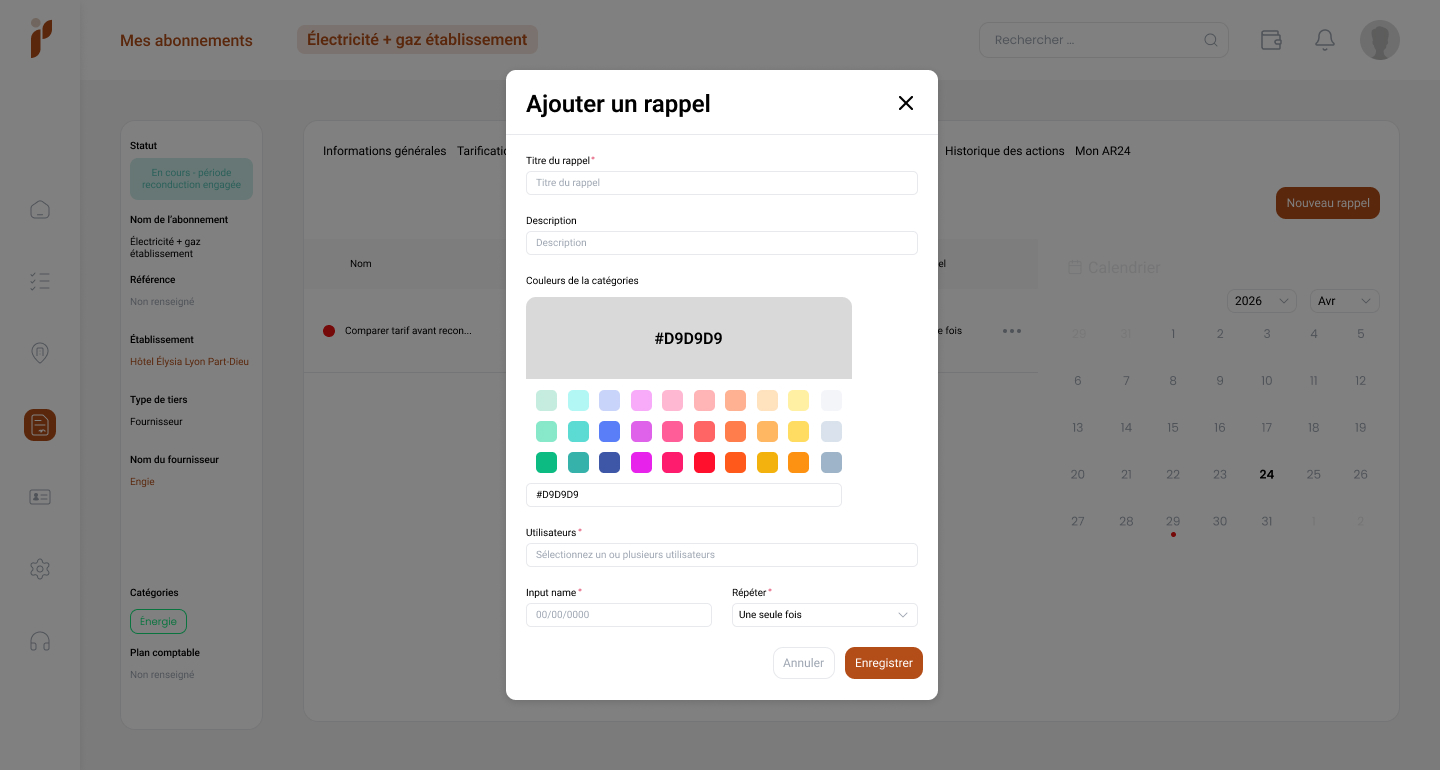
The time lost searching never shows up in the accounts
Nobody times the forty minutes spent tracking down a contract. They still cost more than most budget lines.
A supplier contract rarely travels alone: there is the signed document, one or more amendments, a price list, technical annexes, sometimes a termination letter. Those pieces arrive on different dates, through different channels, and end up in different places. When a question comes up — what notice period? which rate applies? who signed? — the file has to be rebuilt. And if the person who built it has left, rebuilding becomes an investigation.
The scattered file
The contract here, its amendment there, its price list in an inbox. None of the three points to the other two.
Knowledge in one head
Whoever knows where to look becomes the bottleneck — and a risk the day they leave.
The search that starts over
The same contract is found three times a year by three different people, and the path is never kept.
How the repository is organised
One contract, one record, and every piece attached to it. The rest is just navigation.
-
Search that reaches the content
Search by contract name, supplier, site or reference. You type what you remember, not what you should have known.
-
Filters that combine
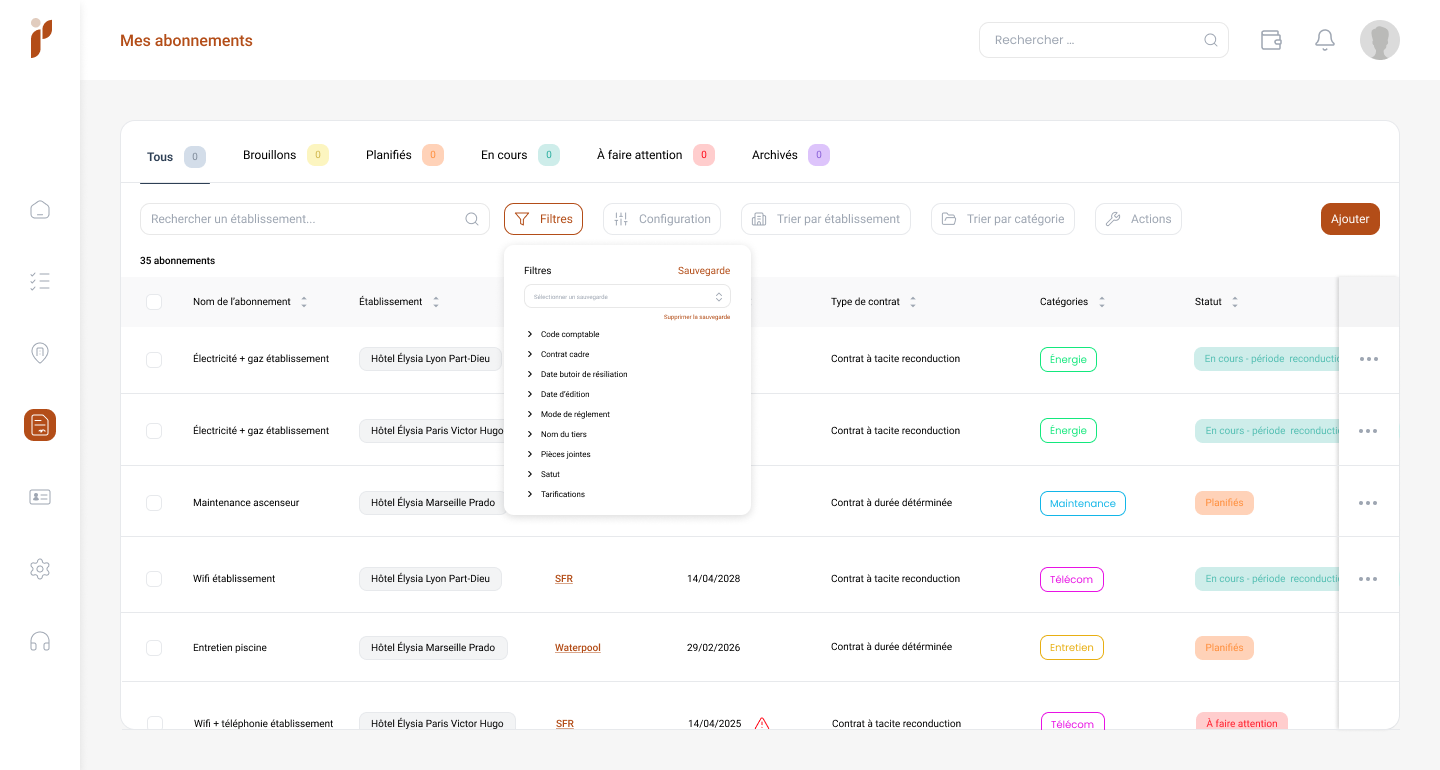
Site, category, status, period, counterparty: filters stack to isolate exactly the subset you are after.
-
Every document in one place
Signed contract, amendments, price lists, annexes, invoices: each one attached to the contract record and dated.
-
Access that follows the role
Each user sees the contracts in their scope. Roles and privileges are set site by site.
-
Linked to the site
A contract belongs to a site, or to the group. The site filter shows immediately what belongs to whom.
-
Related contracts stay visible
A framework agreement and its site-level versions remain linked: you move from one to the other without starting the search again.
How you build the repository
The goal is not to capture everything at once, but to stop losing things from today onwards.
-
You list the active contracts
An inventory of contracts in force is enough to start: supplier, subject, site, dates, amount.
-
You create one record per contract
Each record carries the essential terms and the signed document. Secondary pieces follow later.
-
You attach documents as they arrive
Amendments, price lists and invoices are added when they come in, in the right place first time.
-
You name things by one rule
A shared convention — category, supplier, site — makes search predictable for everyone.
-
You open up access
Each team reaches its own scope. The repository becomes the shared reference rather than somebody’s copy.
What you gain
A search measured in seconds. The question “where is that contract?” stops occupying several people.
A complete file every time. The contract arrives with its amendments and its price list, not on its own.
Knowledge that survives departures. What your predecessor knew sits in the tool, not in their inbox.
Better-armed supplier conversations. You negotiate with the contract in front of you, not with a memory of it.
Frequently asked questions
What exactly is a contract repository?
It is a single reference where each supplier contract has a record carrying its terms, key dates, amounts and every related document. What separates it from a shared folder is structure: you search by criteria, not by folder tree.
Can several documents be attached to one contract?
Yes, and that is the point. Signed contract, successive amendments, price lists, technical annexes and invoices all attach to the same record, each dated, so you always know which version applies.
How do I restrict access to certain contracts?
Through roles and privileges. You define who reaches which sites and with what rights. A site manager sees their scope, head office sees the whole.
Do I need to import the history of every contract?
No. Start with the active ones: they carry the deadlines and the amounts. Closed contracts can be added gradually, when the need for evidence arises.
How should contracts be named?
A short, consistent convention beats an exhaustive one: category, supplier, site. The rest is found through filters, which now do the work the filename used to.
How do I handle a framework agreement and its site versions?
The framework is recorded at group level and each version at its own site, with a link between them. Common terms stay visible while local specifics are tracked.
Explore further
Building a repository is as much about method as about tooling.
See your contracts in a real repository
Bring two or three typical contracts: we will show you what your repository would look like, with your categories and your sites.